

For a new agent, the first few minutes with a professional dashboard can feel overwhelming. However, in the high-speed market of 2026, operational efficiency is your primary profit driver. If you can load a player’s points in 10 seconds instead of 10 minutes, you will win the loyalty of the high-rollers. This tutorial provides a practical, “no-fluff” guide on how to start a online fish table game for your players and loading credits in fish games with surgical precision using the MegaSpin backend.
Step 1: The First Login to Your Master Dashboard
Once your agent application is approved, you will receive an official **MegaSpin Master Key**. Access your dashboard via a secure, HTTPS-encrypted browser.
Pro-Tip: Never save your master password in a shared browser. Use a hardware-encrypted password manager to ensure your credit balance remains bulletproof.
Step 2: Creating Your First Player Account
To know how to start a online fish table game for a customer, you must first issue them a digital “Player Pin.”
- Navigate to the “User Management” tab.
- Click “Create New Player”.
- Enter the player’s preferred handle or phone number (for tracking).
- The system will generate a unique 6-digit PIN and a Download Link for the latest MegaSpin mobile app.
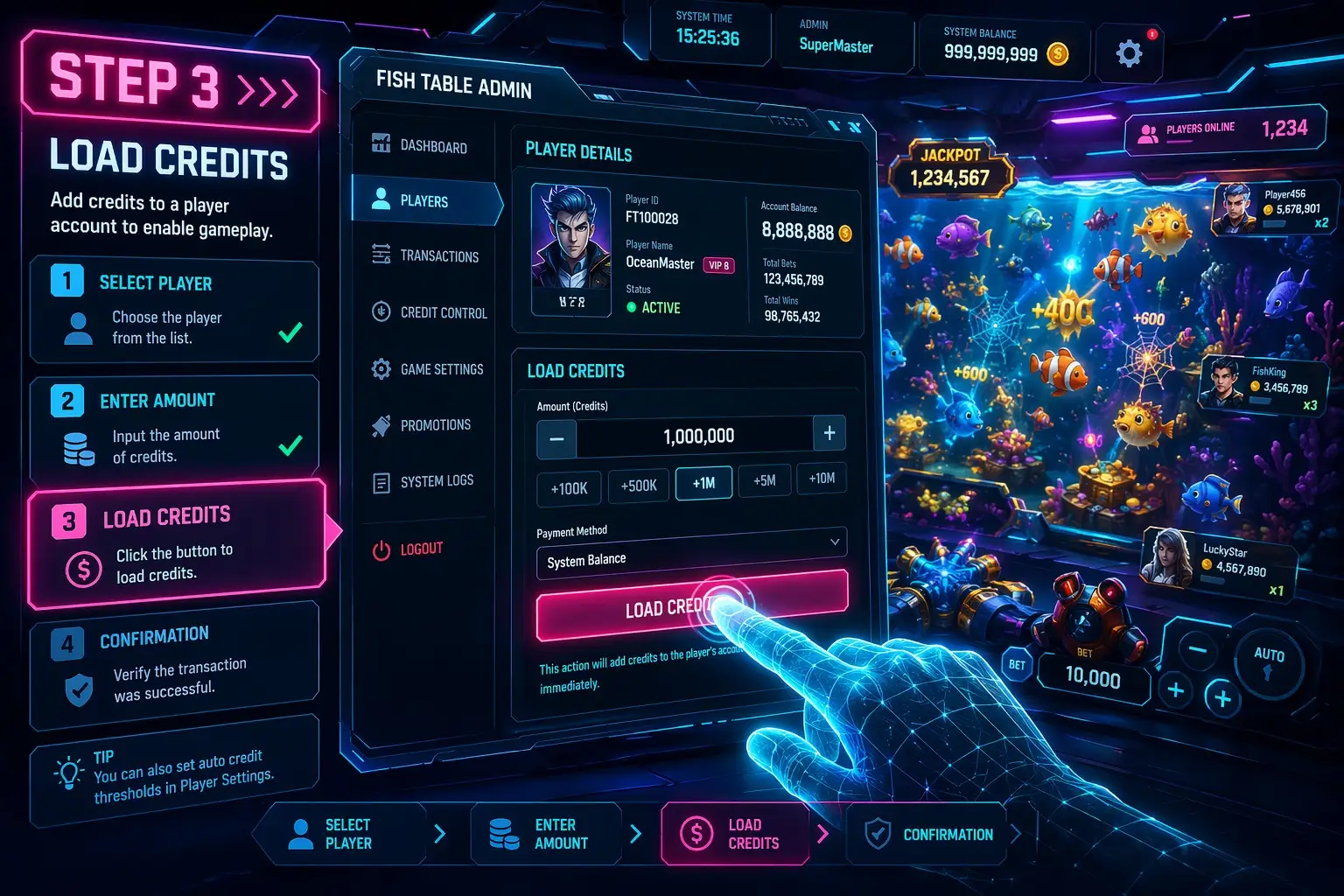
Step 3: Loading Credits – The Lifeblood of Your Business
This is where the revenue happens. Loading credits in fish games must be a frictionless experience for the player.
The Transaction Flow:
- Player Request: The player sends you a payment (e.g., $100 via CashApp/Zelle/BTC).
- Credit Selection: In your dashboard, search for the player’s PIN.
- The “Load” Command: Enter the amount (e.g., 10,000 points). Click **Confirm**.
- Instant Synchronization: The credits are moved from your “Master Balance” to the player’s active session in less than 2 seconds.
Step 4: Handling Redemptions (Cash-Outs)
In 2026, a player’s trust is built on how fast you pay them back. When a player wins a jackpot, the redemption process should be just as fast as the loading process.
- The player clicks “Redeem” in their app.
- You receive a notification on your dashboard.
- Verify the win via the “Game Logs” (to ensure no glitch or exploit occurred).
- Approve the redemption, and the credits are moved back to your master balance.
- Send the real-world funds to the player’s payment method of choice.
Step 5: Daily Auditing and Reconciliation
Successful sweepstakes game management requires a daily audit. At the end of your shift (typically 12 AM), download your **Daily Transaction Report**. Compare your CashApp/Bank receipts with the dashboard’s “Loaded Credits” log. A professional system like MegaSpin provides an **RTP Variance Alert** that flags if a specific player is winning at an improbable rate, allowing you to investigate potential “pattern players.”
Operational Stats
Average Account Creation Time: 45 Seconds
Average Credit Load Speed: < 10 Seconds
Uptime Consistency: 99.99%
Master Tools Used
- Real-Time Ledger
- Multi-Tier Agent Hierarchy
- Fraud Detection Sentinel
- Instant Cash-Out API
Conclusion: Operational Excellence Drives Growth
Mastering the technical steps of how to start a online fish table game is the first milestone in your journey as a top-tier agent. By using the automated, high-security tools provided by **MegaSpin**, you are minimizing human error and maximizing player satisfaction. Remember: In the 2026 iGaming world, the fastest agent is the one who gets the most business.
Ready to try the dashboard for yourself? Sign up for our Agent Onboarding Webinar and get a free demo account today.